Learn PowerPoint From Beginner to Professional Designer
Unlock premium transition techniques, kinematic slide animations, visual SmartArt layouts, Slide Masters, and VBA macro scripts. Designed for corporate speakers, teachers, and startup founders.
🎭 Kinematic Presentation Platform
- Live Slide Design & Transition Simulator
- Dual Language Curriculum (Hindi + English Mode)
- Multi-OS (Windows / Mac) Keyboard Shortcuts Dictionary
- Dynamic Timed Slide Show Quiz Certification Engine
📈 Student presenter Dashboard
Answer questions correctly, practice inside slide canvas sandboxes, and run transitions to earn XP points!
PowerPoint Composition Design Assets
Study spatial alignments, shapes hierarchies, Slide Masters layout structures, and professional templates.
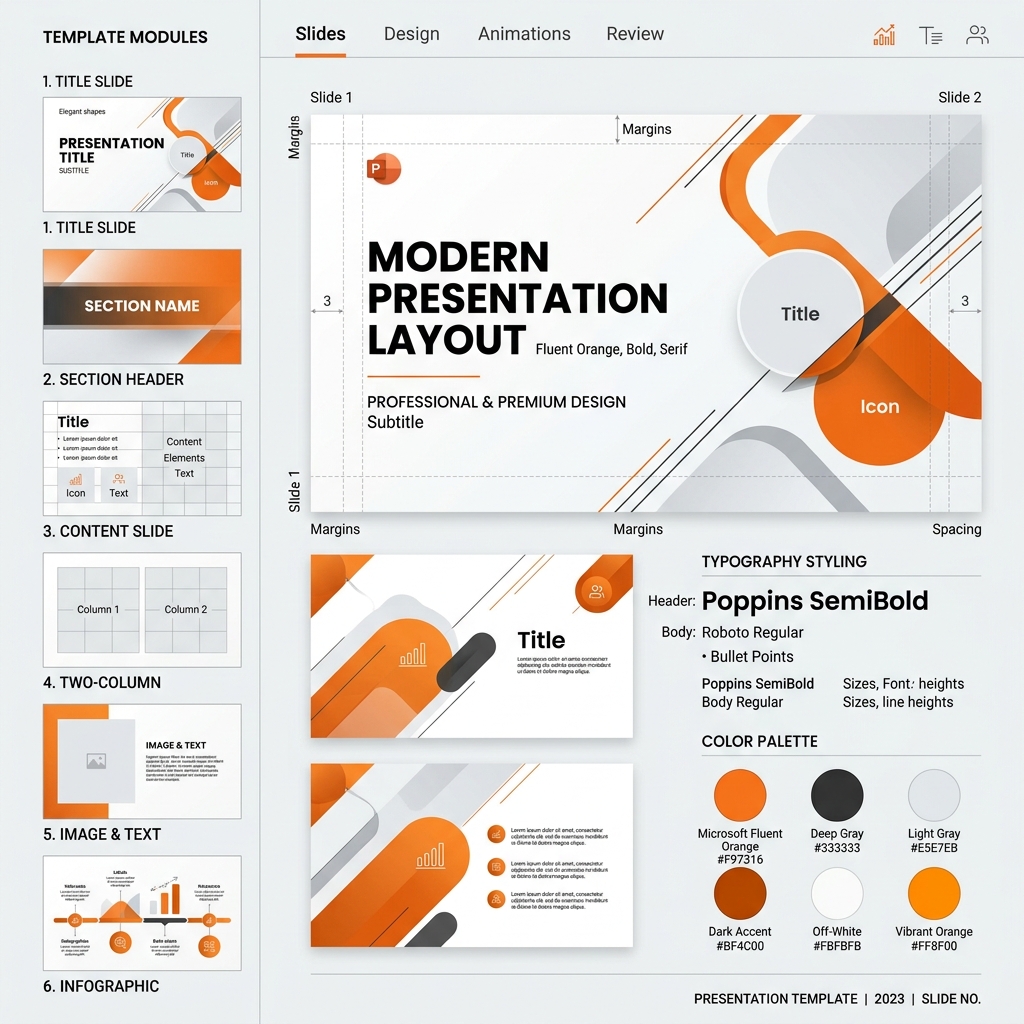
1. Slides Layouts & Master Composition
Visualizing grid markers, shapes, absolute padding, and dynamic alignments.
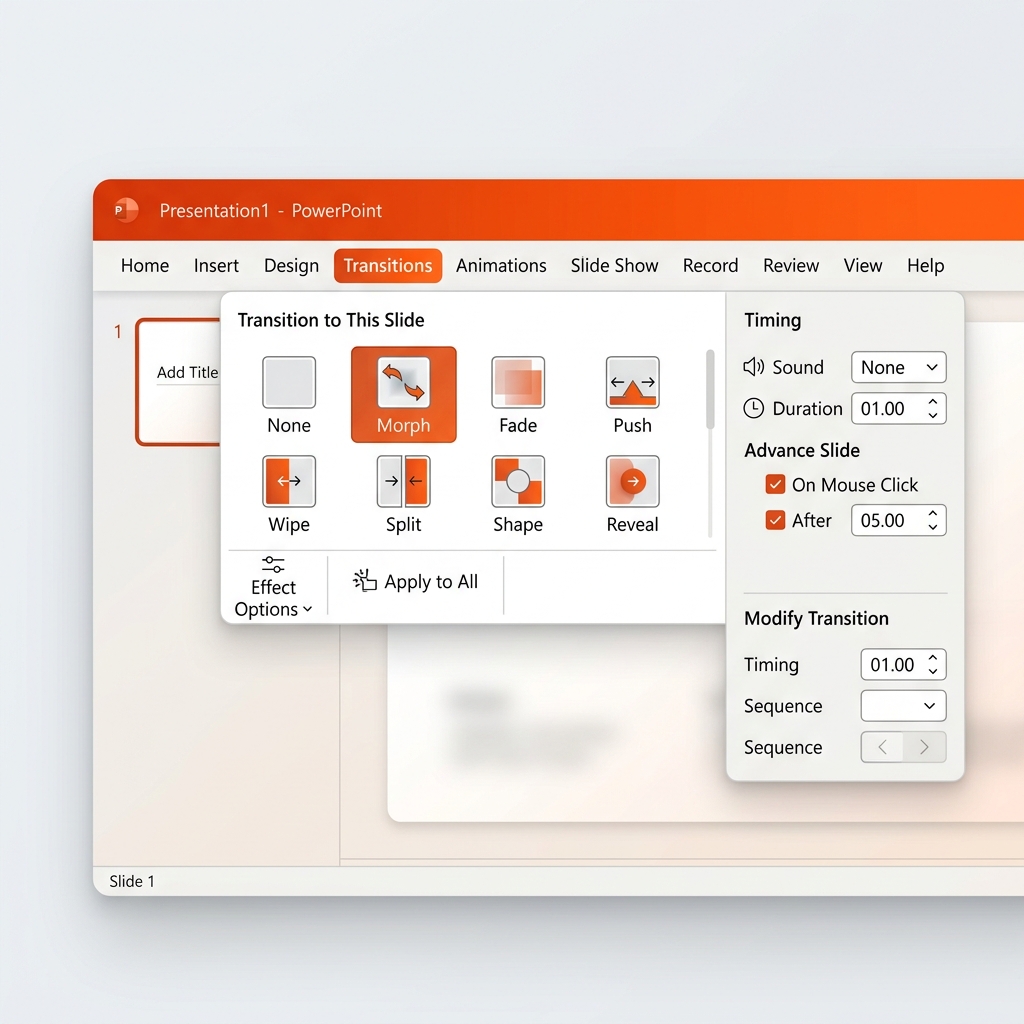
2. Cinematic Transitions & Timing Panels
How motion paths, Morphing transformations, and delay cycles create flow.
PowerPoint Absolute Beginner Blueprint
Understand what presentations are, ribbon basic controls, slide sizes, text box operations, and color contrasts.
1. Workbook Slides & Layouts
- Slides are standard canvas sheets (standard 16:9 widescreen)
- Each slide uses structured layouts (Title, Content, Blank)
- Slide Master governs absolute fonts and layout themes globally
2. Content & Formatting
- Use Text Boxes instead of writing directly onto background grids
- Maintain strong contrast (light text on dark; dark text on light)
- Keep alignment consistent (Left alignment is standard for bullets)
3. Save & Present
- Save in standard PPTX format or export slides to PDF outlines
- Launch Presentation View using standard F5 button
- Presenter View: Study notes and upcoming slides on split screen
Interactive Presentation Slide Simulator
Add slides, edit titles, adjust templates, set background themes, choose animations, and preview slides. Then launch the dynamic full-screen slide show player!
Full PowerPoint Tabs Blueprint
Every command, group, and animation tab in the PowerPoint Ribbon, detailed tab-by-tab.
Visual Map: PowerPoint ribbon controls, timing tracks, and transition options
Slides & Clipboard
- New Slide: Choose layout structures (Title, Section, Content)
- Format Painter: Copy colors, fonts, and border styles from one shape to another
- Reuse Slides: Pull slide blocks from other files inside your directory
Font & Paragraph
- Change weights, colors, shadow effects, and letter case structures
- Character Spacing: Add tracking or loose spacing for title banners
- Line Spacing: Adjust distance between rows to avoid squished text
Drawing & Editing
- Insert standard shapes (rectangles, callouts, arrows)
- Shape Fill & Outline: Edit borders and gradient fills
- Arrange: Send elements backward or bring forward to align layers
Media & Illustrations
- Icons: Insert scalable Fluent vector icons without pixelation
- SmartArt: Turn bullet lists into dynamic infographics instantly
- Audio/Video: Embed background tracks or sync narrations
Zoom Navigation & Links
- Summary Zoom: Build a beautiful landing index slide to click and zoom
- Slide Zoom: Embed interactive mini-slide links inside canvas layouts
- Action Wizard: Trigger hyperlinks and slide jumps on click hover
Themes & Variants
- Themes: Apply globally coordinated color schemes and fonts
- Variants: Modify colors and themes without changing layout structures
- Designer: Real-time AI slide composition suggestions
Morph & Setup
- Morph: Smoothly morph slide elements from slide A to slide B
- Effect Options: Choose morphing by character, word, or object
- Timing: Adjust transition speeds (1.5s - 2.0s is recommended)
Entrance, Exit & Timing
- Entrance: Make text boxes fly in, fade, or zoom dynamically
- Motion Paths: Program coordinates for shapes to move across layouts
- Animation Pane: Track and re-order animation sequencing paths
Presenter Tools
- Rehearse Timings: Record presentation practice logs
- Record Slide Show: Save narration tracks and webcam clips
- Custom Slide Show: Build subsets of slides for different groups
Master Views & Layouts
- Slide Master: Setup global fonts, layouts, headers, and footer blocks
- Slide Sorter: Rearrange large decks dynamically in dashboard layouts
- Guides & Rulers: Lock grids to keep shapes strictly aligned
Macros & Active controls
- Visual Basic: Code advanced deck automation workflows
- Macros: Record sequences to compile slide formatting
- ActiveX Controls: Embed checklists, drop-down menus, and text fields
Slide Design Academy Blueprint
Visual hierarchy rules, white spaces, typography configurations, and spatial layout alignments.
1. Visual Hierarchy & Composition
- Keep main title size at least double the size of body paragraphs
- Use strong spatial positioning to drive user gaze (left-to-right)
- Limit slide colors to 3 variants maximum (60-30-10 color rule)
2. Minimalist Grid Layouts
- Leave at least 30% of slide area as empty whitespace
- Align shapes strictly along invisible vertical grid lines
- Avoid heavy walls of text; convert lists into styled icon panels
PowerPoint Animation Mastery
Cinematic transition effects, motion pathways, Trigger triggers, and Apple-style slide animations.
1. The Morph Magic
- Duplicate a slide block, move or scale shapes in slide 2, apply Morph
- Use "Double Exclamation" shape naming (!!shapeName) to Morph different shapes
- Use Morph by Character to create beautiful shifting letter grids
2. Sequential Timing & Panes
- Use Animation Pane to coordinate delays and tracks
- Always start animations "With Previous" or "After Previous" for fluid shows
- Apply Smooth End and Smooth Start on motion pathways (0.5s default)
Keyboard Shortcuts database Console
Filter PowerPoint shortcuts instantly using the live search engine bar below.
PowerPoint VBA & Automation Developer
Unlock PowerPoint developer tools. Write scripts to generate slide decks dynamically with one click.
Automated Project: Dynamic Pitch Slide Compiler
Copy the VBA script below, launch VBA Editor (Alt + F11), insert a new Module, and paste it. Running this macro instantly generates standard slide sets with aligned shapes and invoice figures!
Sub GeneratePitchSlides()
    Dim pptPres As Presentation
    Dim pptSlide As Slide
    Dim shapeBox As Shape

    Set pptPres = ActivePresentation

    ' Add Title Slide
    Set pptSlide = pptPres.Slides.Add(1, ppLayoutBlank)
    pptSlide.Background.Fill.Solid
    pptSlide.Background.Fill.ForeColor.RGB = RGB(216, 59, 1)

    ' Add Title shape box
    Set shapeBox = pptSlide.Shapes.AddTextbox(msoOrientationHorizontal, 100, 200, 800, 100)
    shapeBox.TextFrame.TextRange.Text = "DYNAMIC PITCH DECK"
    shapeBox.TextFrame.TextRange.Font.Bold = True
    shapeBox.TextFrame.TextRange.Font.Size = 44
    shapeBox.TextFrame.TextRange.Font.Color.RGB = RGB(255, 255, 255)

    MsgBox "Pitch presentation slides generated successfully!", vbInformation, "PPT Academy"
End Sub
Presentation Professional Templates Pack
Download templates with complete composition, structured fonts, and animation sequences.
Startup Pitch Deck Template
Corporate Quarterly Business Report
Public Speaking & Presentation Skills
Master stage presence, body language rules, vocal controls, and slide pacing strategies.
1. Vocal Pacing & Pauses
- Never read slide text blocks aloud; let visual grids tell the story
- Add 3-second strategic pauses before explaining big financial slides
- Maintain conversational flow (120-140 words per minute pacing)
2. Audience Engagement Rules
- Use the 10-20-30 PowerPoint rule: 10 slides, 20 minutes, 30pt font minimum
- Ask audience questions every 5 minutes to spark interaction
- Keep eye contact locked on individual faces for 5-second cycles
PowerPoint Troubleshooting & Warning Fixes
Quick resolutions for slide show errors, warnings, playback freezes, and mismatched font layers.
Fonts Mismatch
Occurs when presentation decks open on laptops missing your installed fonts. Solve by navigating to File > Options > Save > check 'Embed Fonts'!
Video Playback Freeze
Embed videos in MP4 format with AAC sound compression. Optimize media compatibility inside File > Info tab options.
Animation Lag
Too many motion pathways and large PNG textures will cause presentation lags. Compress graphics (Picture Format > Compress Pictures) to resolve.
Timed Presenter Quiz & Certificate
Answer all exam questions correctly to earn presenter XP points and unlock your verified completion certificate!
Which tab contains Slide Master, Slide Sorter, and Rulers?
CERTIFICATE OF COMPLETION
This is to certify that
has successfully completed all presentation levels, design labs, and kinematic animation examinations to become a verified